
Manual payouts
Manual payouts (also known as Dashboard Settlements) allow merchants to receive their payouts into their Paystack balance, even on weekends and public holidays, instead of directly into a bank or mobile money account.
From this balance, they can transfer funds out at any time using the Transfers product. This feature is available only to registered businesses in Nigeria, Ghana, Kenya, and South Africa.
Before requesting manual payouts
Merchants should meet the following conditions before requesting the switch:
Be a registered business (starter businesses aren't eligible).
Have completed and been approved for compliance.
Ideally, have an existing transaction history (South Africa requires at least one month).
Have no outstanding pending payouts; all pending payouts must cleared before the switch can occur.
How to request manual payouts
Step 1: Contact support
Every market starts the same way — reach out to Paystack support via:
Email: support@paystack.com
Or use the contact form
Please include a brief explanation of why the switch to manual payouts is necessary. This will help confirm whether it is the best fit for your business model in terms of compliance compared to other Paystack products.
Step 2: Country-specific process
Nigeria
Nigerian merchants are required to have a Manual Payout Account with our banking partner. This is a regulatory requirement that allows funds to be held there and subsequently reflect in the merchant's Paystack balance.
Complete the compliance process, if not done already. See: Compliance requirements for the different countries.
Go to Settings > Accounts on the dashboard.
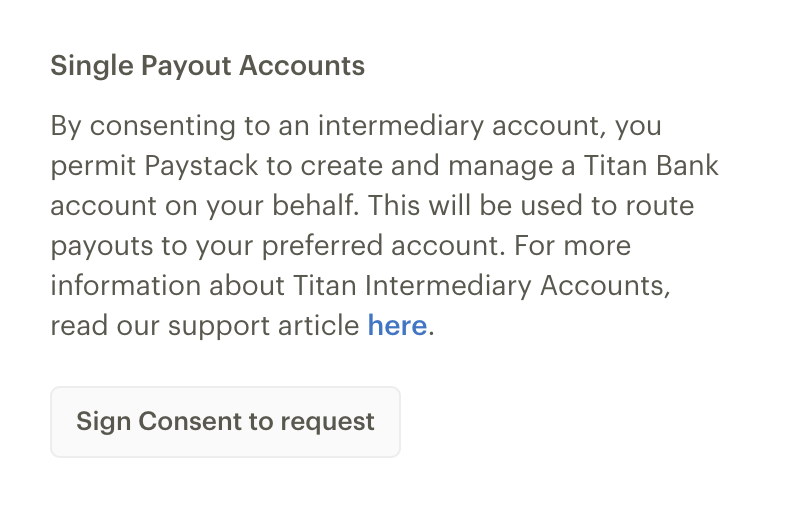
Sign Consent to request a Manual Payout Account as shown below.
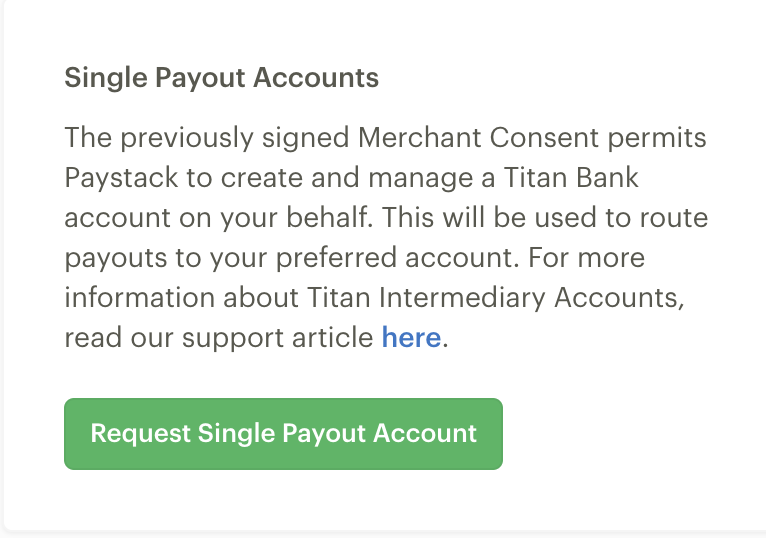
Request Single Payout Account, after signing consent as shown below.
Once the Manual Payout Account is created, follow up with Paystack support to have the payout schedule switched to Manual.
Other Markets (Ghana, South Africa, Kenya)
No managed or partner account is required in these markets. Once eligibility is confirmed, Paystack switches the schedule directly on the back end.
Contact support as in Step 1 for Nigeria, and include a short explanation of why the switch to manual payouts is needed —this helps confirm if the feature is the best fit for your business model in terms of compliance compared to other Paystack products.
The team confirms the business is registered, compliant, and (for South Africa) has at least a month of transaction history.
Once approved, the payout schedule is changed to Manual — no further action is needed from the merchant.
What changes after switching
Market | Currency | Automatic payout schedule | Manual payout timing |
|---|---|---|---|
Nigeria | NGN | T+1 | Balance credited next working day, including weekends/holidays |
Ghana | GHS | T+1 | Balance credited early next day, including weekends/holidays |
Kenya | KES | T+2 | Balance credited early on the 2nd day, including weekends/holidays |
South Africa | ZAR | T+2 | Balance credited early on the 2nd day, including weekends/holidays |
Once funds are available in the Paystack balance, merchants can transfer them out at any time using the Transfers product to a local bank or mobile money account within their business's country.
How to confirm Manual Payouts has been enabled for you
To confirm that Manual Payouts has been enabled for your business, go to the Preferences page on your dashboard and check that your Payout Schedule is set to “Settled to Balance”. The screenshot below shows you what to look out for and this link takes you directly to the page to confirm if you have Manual Payouts enabled.
