
Pay with Bank South Africa (EFT & Capitec Pay)
With Paystack, your customers in South Africa can pay directly from their bank accounts using secure Pay-by-Bank methods.
Currently, Paystack supports two Pay-by-Bank options:
Instant EFT (via Ozow)
Capitec Pay
These methods allow customers to complete payments without using a debit or credit card.
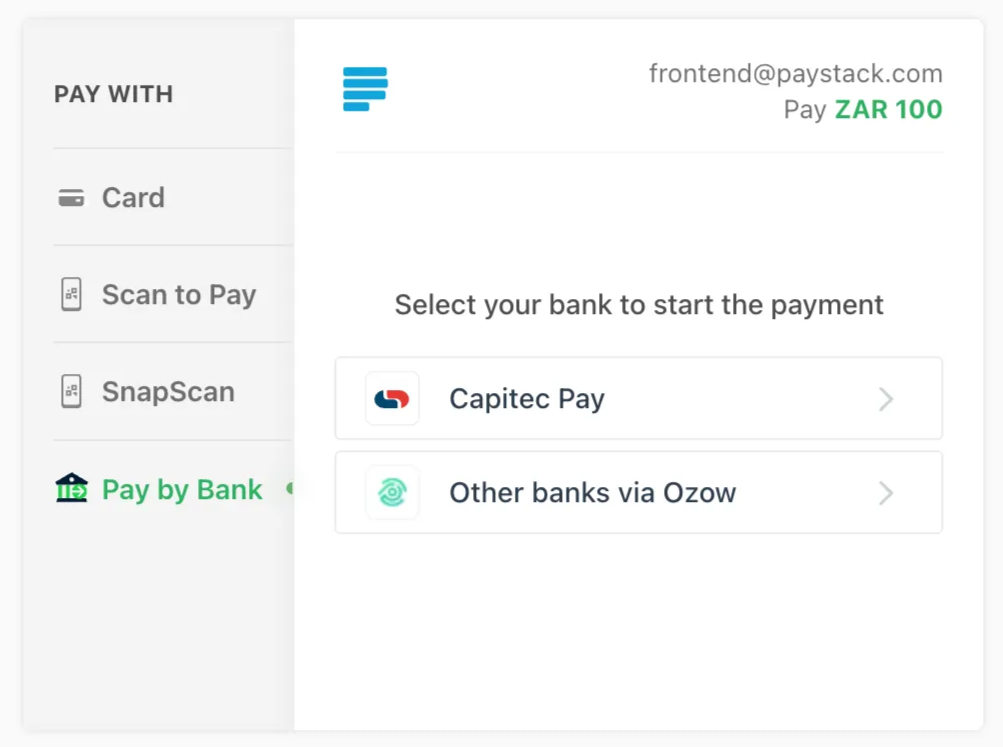
1. Instant EFT via Ozow
Paystack has an integration with Ozow, an EFT payment provider, to enable South Africa-based businesses to accept payments through.
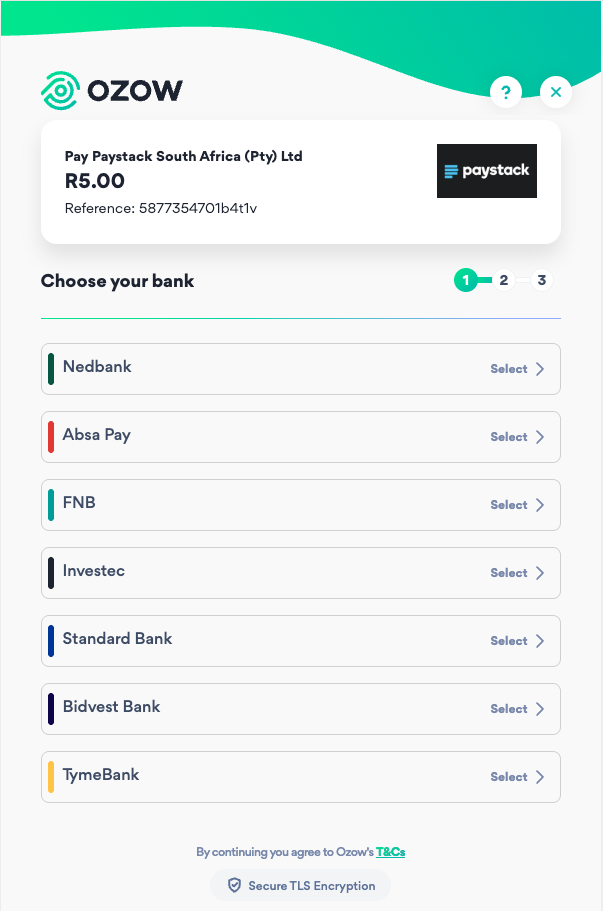
When a customer selects the Ozow Pay By Bank option at checkout, they are redirected to Ozow where they choose their bank and securely log in using their internet banking credentials to authorise the payment. Once approved, the transaction is processed instantly and funds are confirmed in real time.
Ozow supports payments from the following South African banks:
Absa
FNB
Investec
Nedbank
Standard Bank
Bidvest Bank
TymeBank
⚠️ Note: Customers must have internet banking enabled with their selected bank in order to complete an Instant EFT payment.
2. Capitec Pay
Capitec Pay is an open banking payment method that allows Capitec customers to securely pay using only their mobile phone number, South African ID number, or account number.
When a Capitec Pay transaction is initiated, the customer selects Capitec Pay at checkout and enters their linked identifier, such as their mobile number, South African ID number, or account number. They then receive a push notification in the Capitec banking app, where they authorise the payment directly within the app. This process eliminates the need to share sensitive card details or internet banking login credentials online, providing a secure and seamless payment experience.
⚠️ Note: Capitec Pay is available only to Capitec Bank customers
Onboarding and Enablement
To enable a Pay By Bank payment methods on your Paystack dashboard, log in and navigate to Settings, then click on the Preferences tab. Scroll to the Payments section, and check the options you wish to Accept payments via.
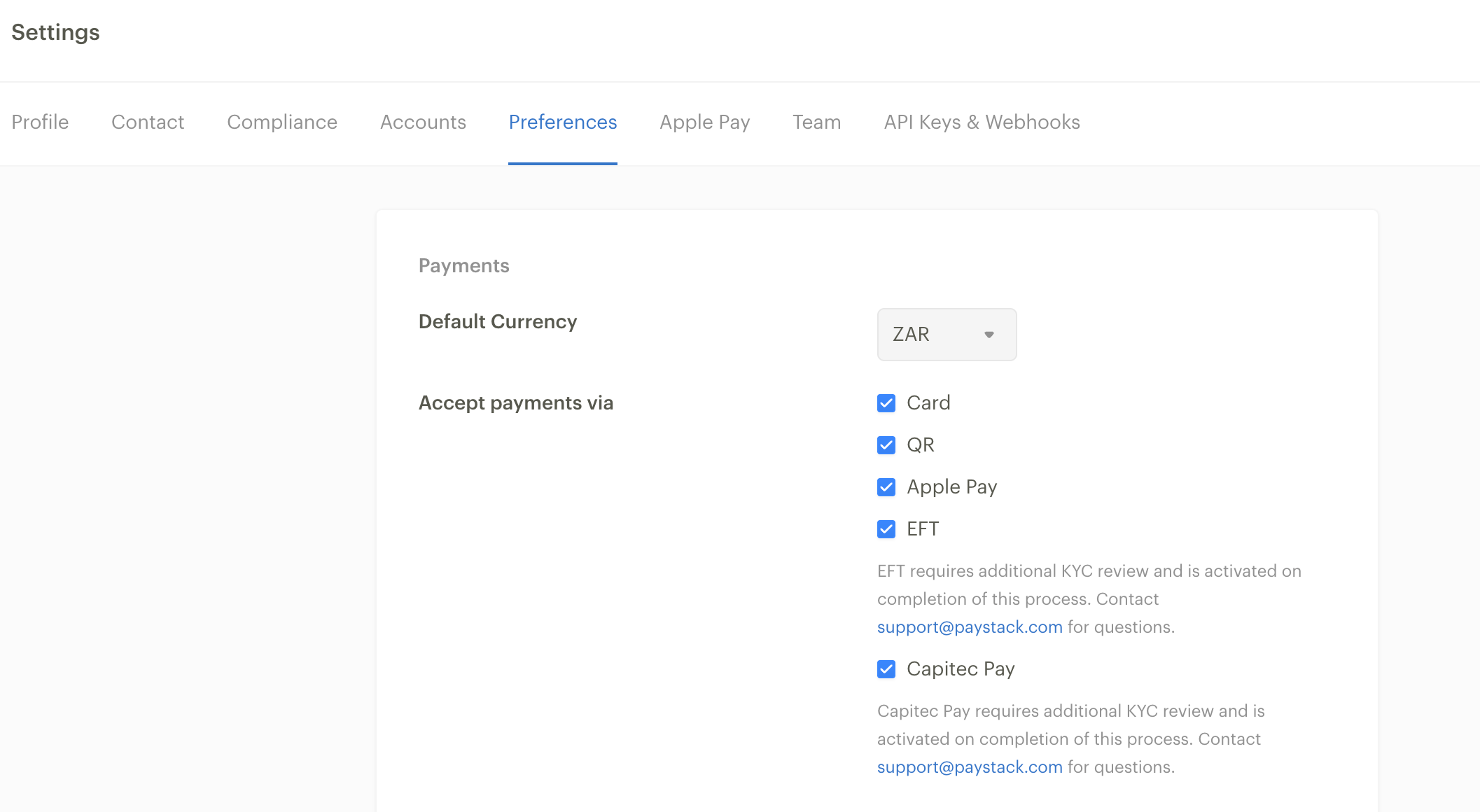
Ozow Instant EFT and Capitec Pay require an additional KYC review before they can be activated on your account. These payment channels are enabled only after this review process has been successfully completed.
Merchants who have been pre-approved will automatically be able to add Instant EFT and Capitec Pay to their checkout by selecting these payment methods in the Paystack dashboard.
If you have selected EFT or Capitec Pay in your dashboard but do not see the option appearing at checkout, this means your business has not yet been approved for that payment method.
If you believe you should have access but the option is not visible, please contact support@paystack.com for assistance.
Frequently Asked Questions:
Does Pay By Bank Support Recurring payments?
Both Ozow EFT and Capitec Pay only support once-off transactions.
I have EFT and Capitec Pay enabled, but I can’t see it on checkout.
EFT and Captiec Pay require an additional KYC review. If your business has recently gone live, please allow for 3 business days for the method to appear in the checkout or contact support@paystack.com for assistance.
What are the transaction limits?
Transactions generally range from a minimum of R0.01 to a maximum of R100K, though individual customer daily limits also apply.
What are the transaction fees?
Please refer to our pricing page here.